Failed to mount /data (Invalid argument) in TWRP: repair, format, or something worse
You open TWRP and the log fills with red. Failed to mount '/data' (Invalid argument). Failed to mount '/vendor' (Invalid argument). Unable to mount storage. Sometimes E:Cannot decrypt adopted storage for good measure.
It looks catastrophic. In practice it is one of the more recoverable states a device can be in, and TWRP has the tools to fix it built in. What matters is understanding what the error is actually telling you, because the fix depends on that.
What "Invalid argument" actually means
Mounting a partition means the kernel reads the filesystem's structure and makes it available as a directory. Invalid argument is the kernel saying it tried and the structure did not make sense.
Three common causes, in rough order of likelihood:
- Filesystem corruption. The partition exists and has the right size, but its internal structure is damaged — usually from an interrupted write.
- A filesystem type mismatch. TWRP expects ext4 and finds something else, or nothing formatted at all. Common right after repartitioning.
- Encryption TWRP cannot handle. The data is intact but unreadable to this TWRP build. The
Cannot decryptline is your clue.
Note what is not on that list: a dead device. The partition is there. The kernel found it. It just cannot parse what is inside.
An important distinction: mount failures are almost always about the filesystem, not the partition table. If the partition table itself were gone, TWRP would not list the partition at all rather than failing to mount it.
Repair first, format second
TWRP gives you two options and the order matters, because one preserves data and the other does not.
Repair runs e2fsck against the filesystem, fixing structural errors in place. Your data survives if the damage is not too deep.
Format runs mke2fs and creates a fresh empty filesystem. Guaranteed to produce a mountable partition, guaranteed to erase everything on it.
Both live in the same place: Wipe → Advanced Wipe → select the partition → Repair or Change File System.
On my TB-8703N, vendor went through exactly this sequence:
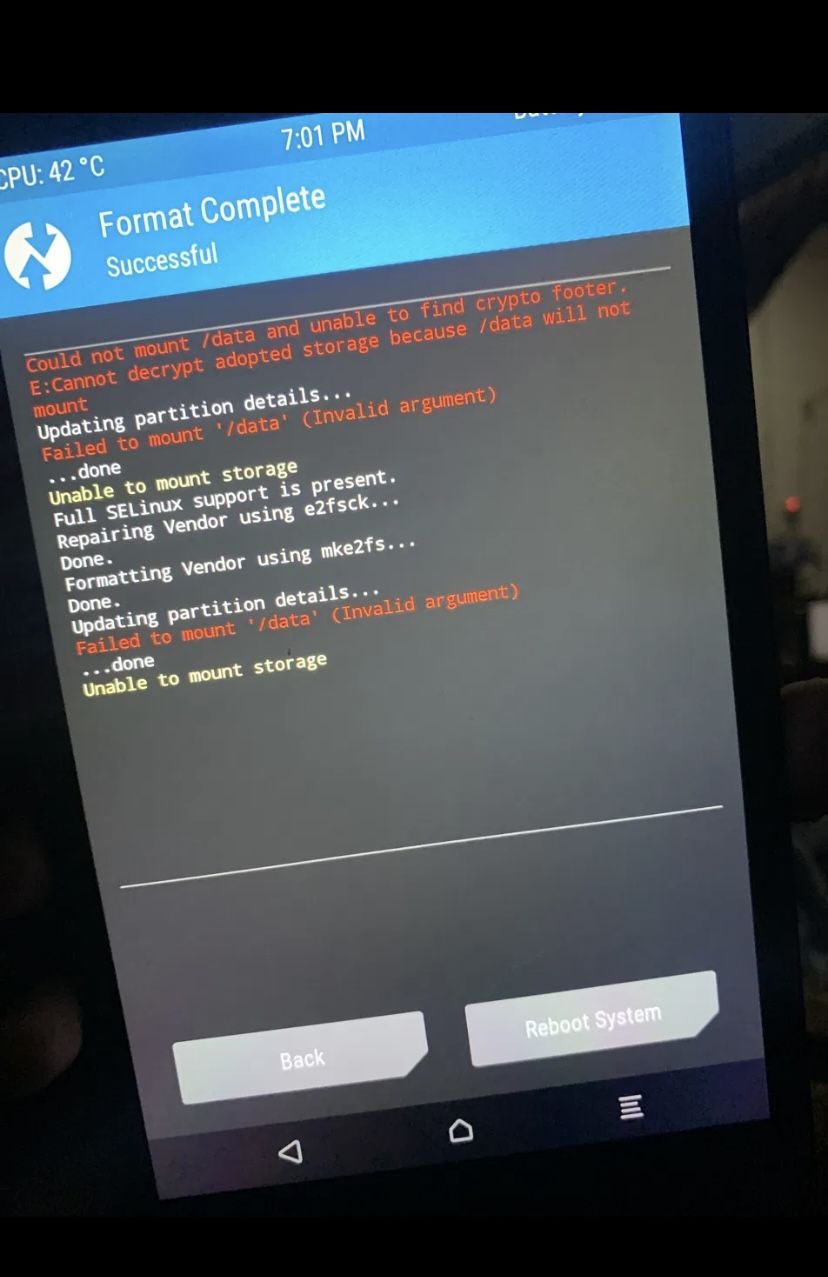
Repairing Vendor using e2fsck... Done. Formatting Vendor using mke2fs... Done. Vendor holds no user data, so formatting it costs nothing — this is the easy case.Vendor is the easy case precisely because there is nothing on it worth keeping. It gets rebuilt when you flash the ROM. Data is where the decision gets real.
When repair fails outright
Sometimes e2fsck cannot fix it. That looked like this on my device:
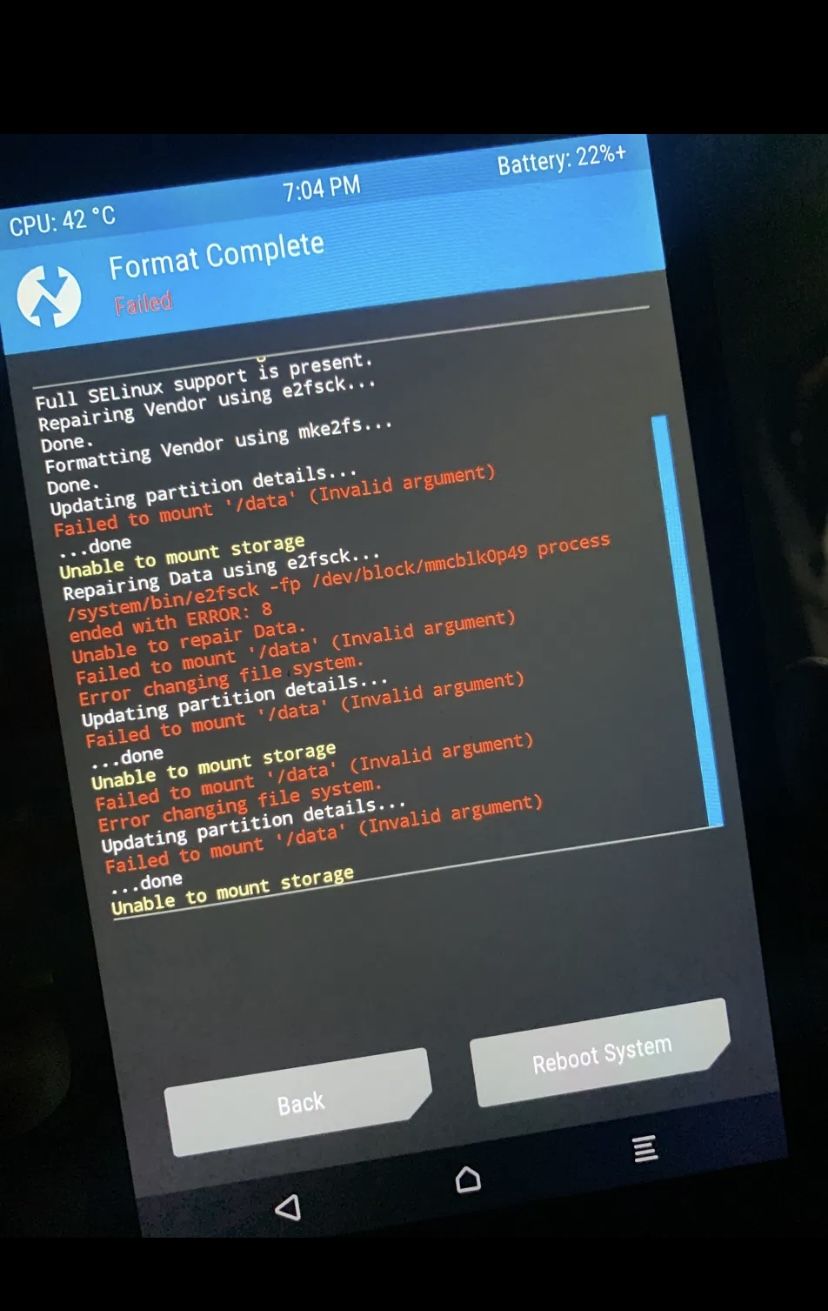
Repairing Data using e2fsck... process ended with ERROR: 8. Unable to repair Data. Followed by Error changing file system when it tried to continue. This is repair giving up, not TWRP being broken.Error 8 from e2fsck means an operational error — it hit something it could not work with at all. At that point your realistic options narrow to formatting the partition.
That is easier to accept than it sounds if you are mid-flash anyway. A LineageOS install wipes data as part of the process. If you were going to lose it regardless, formatting a broken data partition costs you nothing extra.
Where it hurts is when you were trying to rescue a device with data you wanted. In that case, stop before formatting and consider whether the data is worth a professional recovery attempt. Once mke2fs runs, that door closes.
Mount errors alongside a successful flash
This one confuses a lot of people, and it is worth naming clearly.
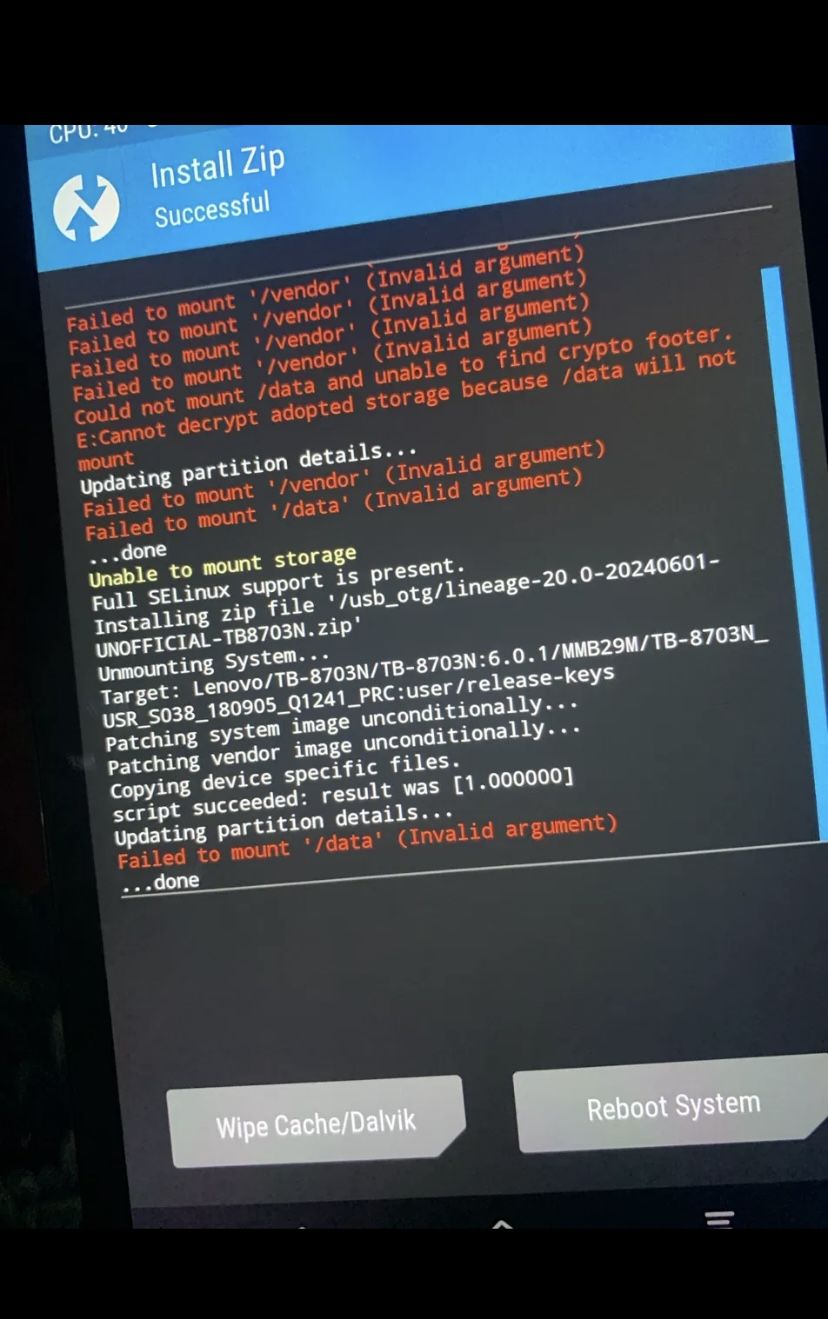
Install Zip Successful at the top, and Failed to mount /vendor (Invalid argument) throughout. The install genuinely worked.TWRP tries to mount every partition it knows about whenever it updates partition details, which it does constantly. Those attempts get logged whether or not the current operation needed that partition.
So a screen showing Install Zip Successful alongside a wall of mount failures usually means exactly what it says. The install worked. The mount warnings are about partitions that were not involved.
The way to tell the difference: read the last line of the actual operation, not the loudest line on screen. Red text is not automatically an error in the operation you just ran.
Practical order to work through
- Note which partitions fail. Only vendor, only data, or everything? Everything failing points at something more fundamental than filesystem damage.
- Check whether the partition is even listed in Advanced Wipe. Listed but unmountable is a filesystem problem. Missing entirely is a partition table problem, which is a different and more serious situation.
- Try Repair first on anything holding data you want.
- Format if repair fails — accepting the data loss on that partition.
- Re-check after each step. Try mounting again before moving on. Fixing vendor sometimes clears knock-on errors elsewhere.
- If nothing mounts and nothing repairs, you may be looking at a partition table problem or failing storage. That is when dumping the GPT over EDL tells you more than TWRP can.
Frequently asked questions
- Will formatting data unbrick my phone?
- It fixes an unmountable data partition, which is often the thing blocking a boot. It will not help if the actual problem is elsewhere in the boot chain.
- What is the difference between Format Data and Wipe Data?
- Wipe deletes contents while keeping the filesystem. Format destroys and recreates the filesystem itself. Only Format helps with a mount failure, and only Format removes encryption.
- Why does TWRP say it cannot decrypt my storage?
- The partition is encrypted in a way this TWRP build does not support — often a device-specific or newer encryption scheme. A TWRP build made for your exact model may handle it; otherwise formatting is the way through, at the cost of the data.
- I repartitioned and now nothing mounts. Did I break the device?
- Probably not. New partitions have no filesystem until one is created. Formatting them in TWRP is a normal step after repartitioning, not a sign of failure — see the LineageOS install guide where exactly this happens.
- Can I recover data from a partition that will not mount?
- Sometimes, if you stop immediately and do not format. It needs specialist tools and is not something to attempt casually mid-flash.
Stuck on a specific partition? Send me the exact TWRP log lines and which partitions fail. Which ones fail, and whether they are listed at all, narrows it down quickly.